How it works
How to turn a picture into a Game Boy Advance game
To turn a picture into a Game Boy Advance game, open img2gba.com, add your picture (upload one, or have the built-in image models draw or restyle one), choose whether it is the player, the boss, a pickup or the backdrop, and describe your game in a sentence or two. Press Build my GBA game and sign in. An AI agent puts your picture on a real GBA cartridge, writes the game around it in a small C-like language compiled to ARM Thumb code, presses the buttons itself to catch bugs, and hands you a game that is already running in your tab.
Also in: Español · Deutsch · Français · Português · Italiano · Nederlands · Svenska · Norsk · Bahasa Indonesia · Türkçe · Polski · Tiếng Việt · Русский · 日本語 · 한국어 · 繁體中文
On this page
In our sessions that took 3 to 5 minutes of agent time and about 10 gems, which a new account's free gems cover. This guide goes through every step with screenshots of the real site, then explains how big and how colorful your picture ends up, what you get, and the questions people ask.
Step 1: add your picture
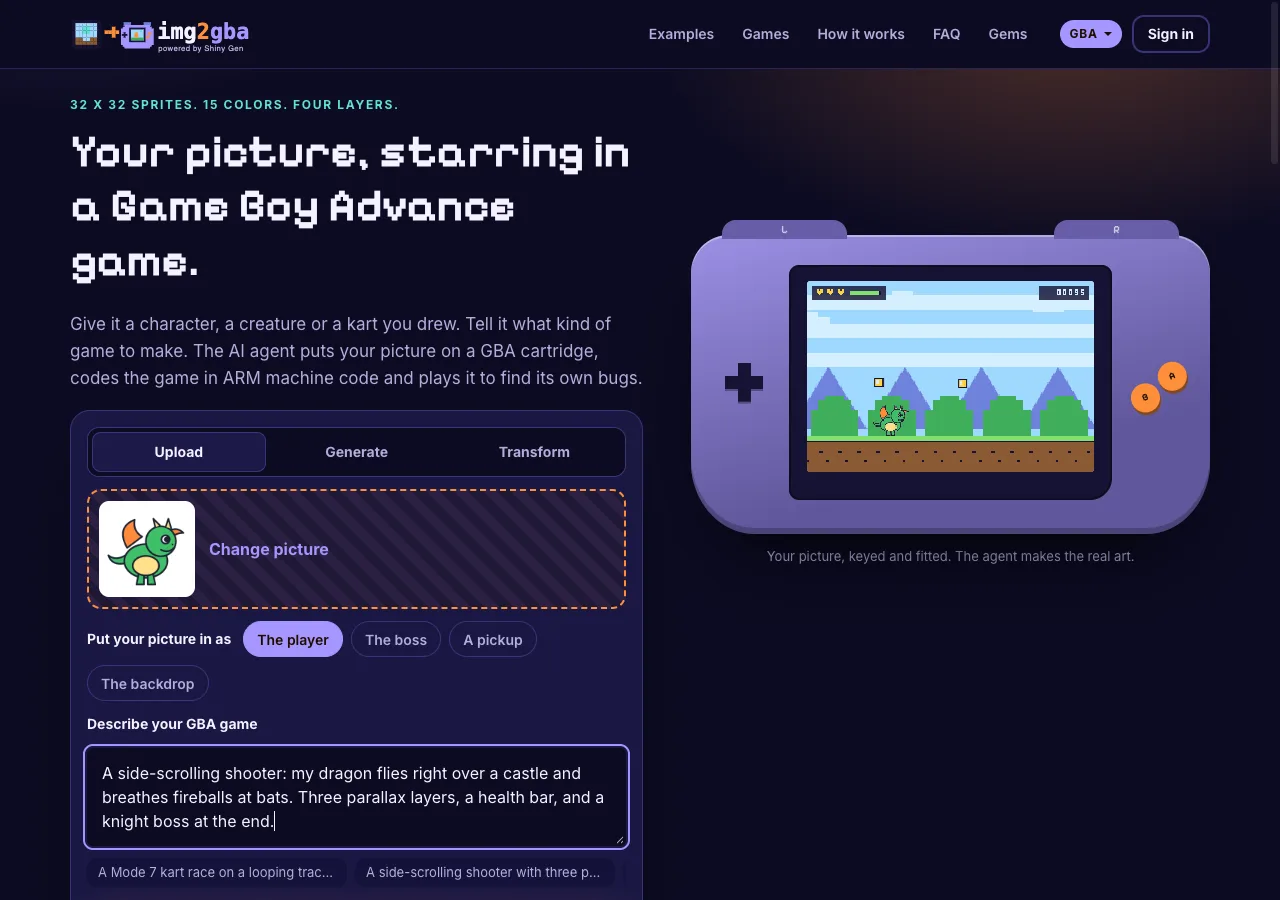
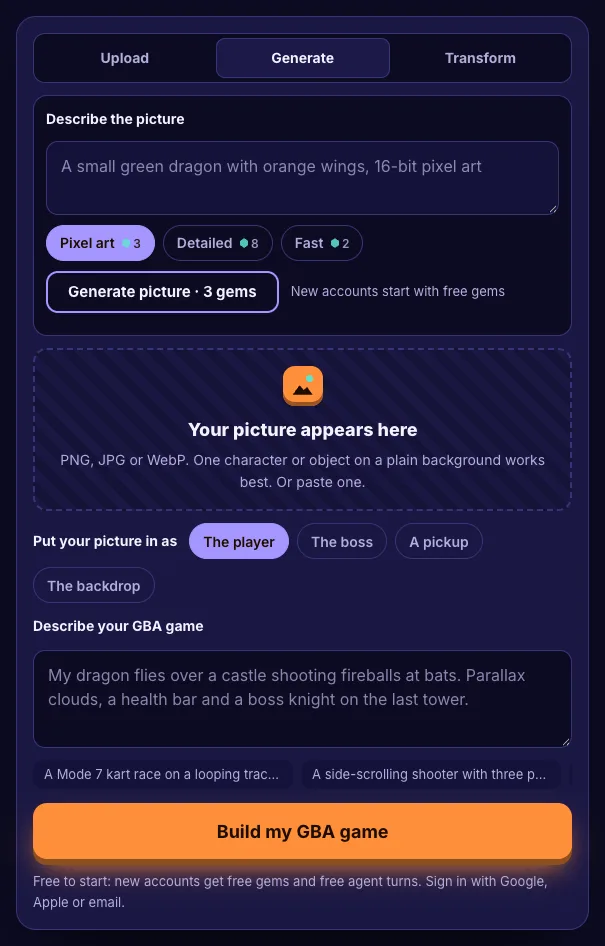
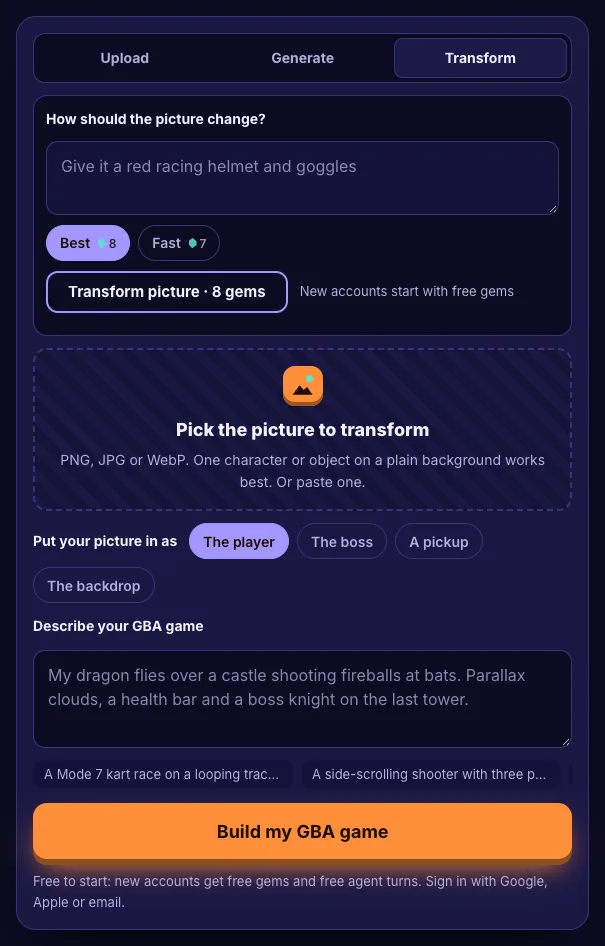
The card has three tabs.
- Upload. PNG, JPG or WebP, picked, dropped or pasted. One character or object on a plain background works best: the site cuts out a plain background before the agent ever sees the picture, so no gems go on background removal.
- Generate. Describe a picture and the image models draw it. Pixel art costs 3 gems, Detailed 8 and Fast 2. For the player, the boss or a pickup the site asks for one character, full body, centered on a plain white background with bold outlines, which is exactly what cuts out and shrinks well.
- Transform. Pick a picture and say how it should change ("give it a red racing helmet and goggles"). Best costs 8 gems and Fast 7.
The price is on the button before anything runs, and you are only charged when the picture arrives.
Step 2: put your picture in as something
The role decides how big your picture is on the cartridge. The sizes come from the GBA itself: one hardware sprite can be at most 64 x 64 pixels, and keeping your picture to one sprite keeps it whole.
| Role | What the agent is told | Size on the GBA |
|---|---|---|
| The player | Import it as it is as ONE sprite, do not redraw it, bring it to life in code (a bob, a squash on landing, flipping to face where it moves) | 32 x 32 |
| The boss | Import it as it is as one sprite | 64 x 64 |
| A pickup | Import it as it is as the item you collect | 16 x 16 |
| The backdrop | Import it as a background layer fitted to the 240 x 160 screen, put the playfield on a layer in front, and take the game's colors from it | Full screen |
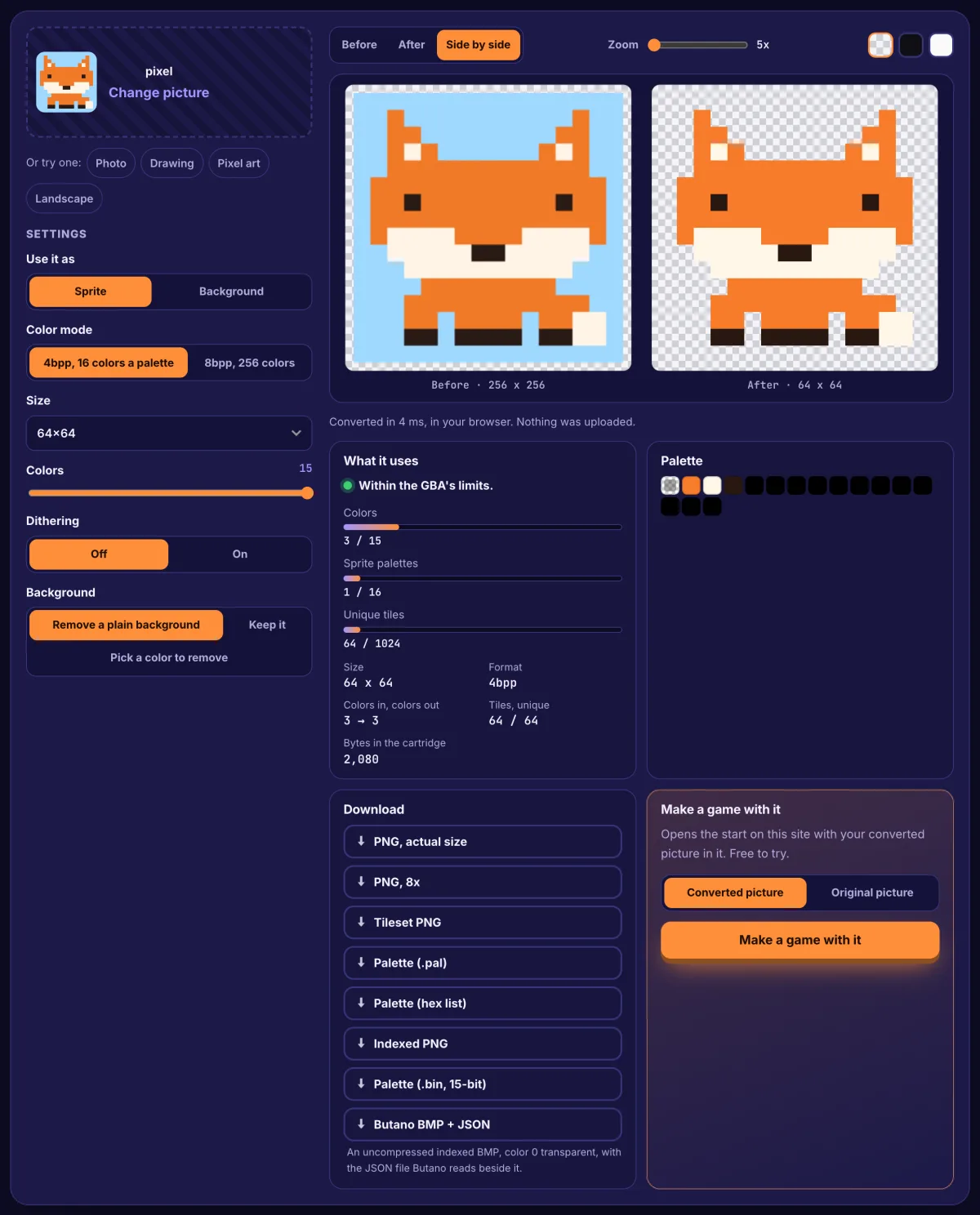
Each sprite keeps 15 colors plus transparency, picked from the console's 32,768 to match your picture. Flat colors and dark outlines come through almost unchanged; soft photo shading turns into bands, which often looks like real 16-bit sprite art.
The live preview beside the card shows your picture as a 32 x 32 sprite on a 240 x 160 screen as soon as you add it, so you can judge it before spending anything.
Step 3: describe your GBA game
Name the genre and one twist. The GBA has more to work with than older handhelds, and the agent knows it: up to four background layers for parallax, two of which can rotate and scale (how a Mode 7 racetrack is drawn), 128 sprites, and L and R shoulder buttons. The suggestions under the box are a good guide:
- "A Mode 7 kart race on a looping track, three laps against two rivals."
- "A side-scrolling shooter with three parallax layers and a boss every stage."
- "A dungeon crawler with a sword dash on L and a shield on R."
Concrete rules help most: a number of lives, a health bar, what makes it harder, what ends a level.
Step 4: sign in, then watch it build
Build my GBA game opens the sign-in on the same page (Google, Apple or email) if you are not signed in, and then the studio opens on img2gba.com, already set to the GBA engine, with your picture and words as the agent's first message.
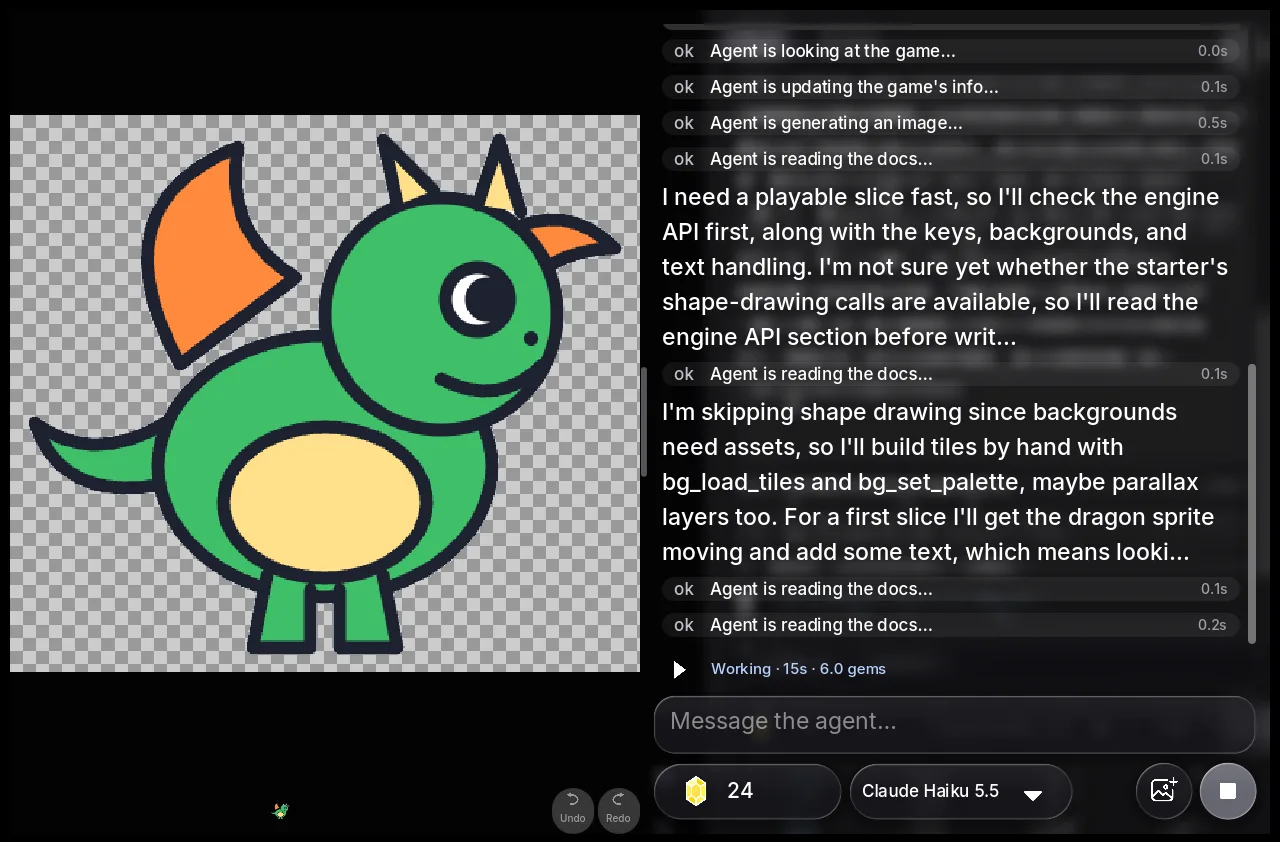
You can watch the whole thing in the chat. The agent imports your picture as a sprite, reads the GBA engine's reference, writes the game in a small C-like language and compiles it to ARM Thumb code. Then it plays: it presses the buttons, reads the 240 x 160 screen back and fixes what it finds, and it says when it could not check something, such as hearing the sound.
Step 5: play, then change it by talking
When the agent hands over, the game is running in the tab. On a computer, the arrow keys, Z (A), X (B), A and S (L and R), Enter (Start) and Shift (Select) play it; on a phone or tablet the buttons are on screen.
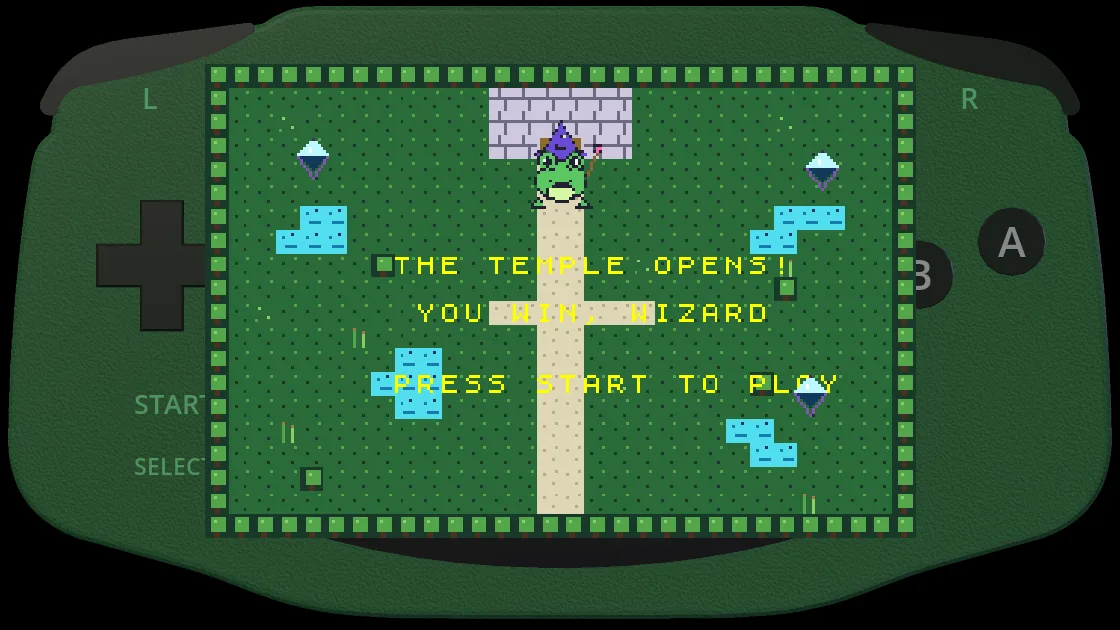
Then keep asking, in the same chat: "add a second boss attack", "make the bats faster in stage two", "add a save so the high score stays". Say what you saw, not what you think the cause is; the agent can reproduce it by playing. The Code view lets you edit the game yourself at no cost.
What you get
- A real .gba cartridge image. ARM Thumb machine code with your art linked in, the same bytes an emulator or a flash cart runs. The emulator in your tab is running exactly that.
- The game in your Shiny Gen account. Your img2gba account is a Shiny Gen account, so the game is also in the Shiny Gen apps for iPhone, iPad and Android.
- A share link on img2gba.com that plays in anyone's browser, and others can remix it into their own copy if you allow it.
- The .gba file, when you want it. Any one purchase, starting with a $2.99 gem pack, unlocks ROM export. The exported cartridge opens with a short Made with Shiny Gen splash, then your game, and saves to its own flash memory. The GBA homebrew ROM guide on shinygen.ai covers flash carts and save types.
Pictures that work best on the GBA
- One subject, plain background. It cuts out for free and fills the sprite.
- Bold outlines. At 32 x 32 an outline is what keeps the shape; the GBA keeps far more detail than the Game Boy Color, but not everything.
- Up to about 15 colors. A drawing with a handful of flat colors comes through almost exactly.
- Tall or wide subjects fit into a square sprite with empty space around them, so they read smaller. A character that fills a square frame reads largest.
- Scenes and landscapes belong in the backdrop role, not squeezed into a sprite.
FAQ
Is it free?
Starting is free: a new account comes with free gems and free agent turns, and a picture start used about 10 gems in our sessions. Playing and sharing cost nothing. More agent work, images and music use gems, sold in packs from $2.99 that do not expire. See the Gems page.
How long does it take?
In our sessions, 3 to 5 minutes of agent time for a first version you can play. An ambitious prompt, like a full Mode 7 race with rivals and laps, can take a second message to finish.
Will my picture be redrawn?
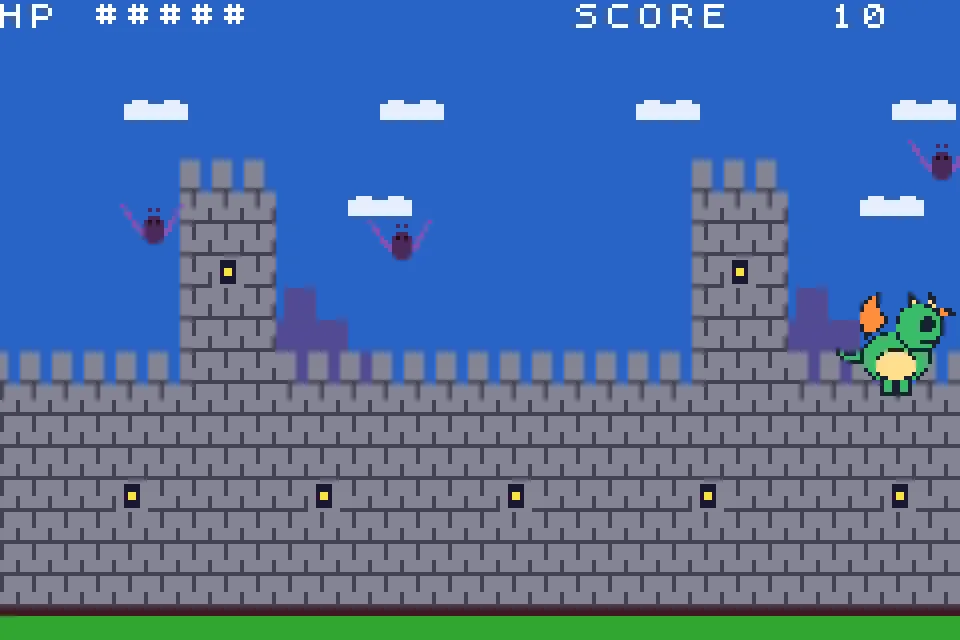
No. The agent is told to import your picture as it is and keep it as the art. The cartridge scales it and fits it to one 16-color palette bank; in our sessions the dragon, the frog with its hat and staff, and the kart all came through whole.
Can I make the picture bigger than 32 x 32?
Yes, as the boss, which is one 64 x 64 sprite, the largest single sprite the GBA has. In one session our dragon drawing became a 64 x 64 boss in a one-screen fight.
Do I need an emulator, a toolchain or an install?
No. The compiler, the emulator and the agent all run behind the page, in a modern browser on a computer, phone or tablet.
Can I play it on a real Game Boy Advance?
Export the .gba ROM (any one purchase, from $2.99) and copy it to a GBA flash cart, or open it in any GBA emulator.
Further reading
Last updated: November 17, 2026